& Server-side GA4 endpoints
The QA layer everyone assumes you already have
Daily automated checks that your consent signals actually reach Google Ads, GA4 and Microsoft Ads. You hear about breakage before your client, your boss or Google's bidding does.
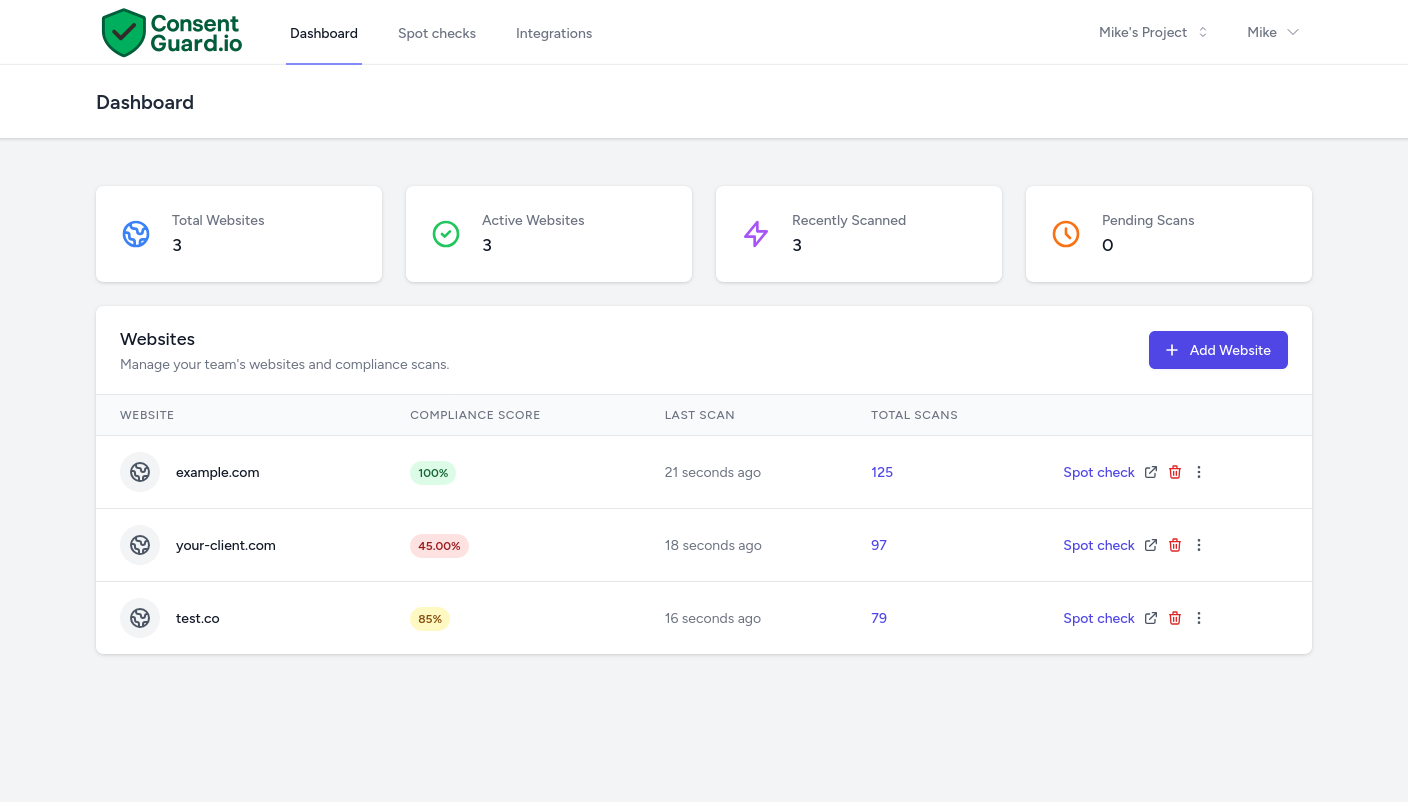
How It Works
Get started in minutes. No code changes required.
Add Your Website
Enter your URL and we'll automatically detect your consent management platform and start scanning.
We Monitor 24/7
Our system simulates real user interactions, accepting and rejecting cookies, to verify consent signals are correct.
Get Instant Alerts
Receive notifications via email or Slack the moment an issue is detected, with actionable fix recommendations.
Everyone assumes someone is checking this.
If your conversion tracking broke tomorrow and reported zero conversions, you'd spot it within a day. When Consent Mode breaks, nothing drops to zero. The numbers keep arriving slightly wrong, and your ad attribution dies quietly in the background for weeks before anyone looks twice.
When a business runs paid media, someone is meant to be watching that the tracking still works. Whether that someone is your agency, your analytics lead or the developer who set it up last year, the checking quietly falls to nobody. The gap shows up as missed targets, modelled-conversion drift, and the awkward review where the dashboard numbers don't match the CRM.
- Consent signals are reaching Google Ads, GA4 and Microsoft Ads exactly as they should.
- You'd know within hours if a CMS update or a developer push broke the banner.
- The ROAS in your dashboard is something validated, not just inherited.
- The CMP shows a banner, but nobody is verifying the consent state actually flows through to the ad platforms.
- Breakage from a deploy goes unnoticed for two to three weeks, until the bidding numbers go sideways.
- The discrepancy gets found first by reconciling Stripe or the CRM against the dashboard, and now someone is explaining it.
Your CMP doesn't tell you when it's broken.
A banner is not the same as a working signal.
Cookiebot, OneTrust, CookieYes and the rest will happily display a banner long after the consent handshake with Google has stopped working. Their dashboards confirm the banner is configured; none of them verify the signal still arrives end-to-end. A theme or CMS update, a plugin change, a new marketing tag added by another team, a single tweak to a CMP setting: most of these happen outside the marketing team's control, and any one of them can quietly stop the signals reaching the ad platforms while the banner carries on rendering exactly as before. There is no alert in the CMP that fires for any of this.
Manual QA stops happening once you're busy.
Opening DevTools on every site every week is the check that prevents the worst incidents, and it's the first one dropped when something more urgent lands. The cost of skipping it stays invisible until the month the numbers go wrong. ConsentGuard runs that check for you every day, on every domain, so the gap never reopens.
Who is ConsentGuard for?
Built for anyone who relies on accurate tracking data.
Agencies
Monitor all client websites from one dashboard. Show clients you're protecting their ad spend.
Marketing Teams
Protect ad attribution without needing technical expertise. Focus on campaigns, not debugging.
E-commerce
Don't lose conversions to broken consent. Every missed signal is a missed sale.
Freelancers
Audit and fix implementations quickly. Add consent monitoring as a service offering.
Complete Protection
Comprehensive monitoring and validation for your consent management implementation
Smart Banner Detection
Automatically finds and tests your cookie consent banners, simulating both accept and reject scenarios.
Network Validation
Verifies the consent signals (gcs/gcd) reaching Google Ads, GA4 and Microsoft Ads, and checks that Meta and TikTok pixels stay silent until the visitor consents.
Instant Alerts
Get notified immediately when consent mode breaks via email or Slack, with detailed fix reports.
Compliance Dashboard
Track your consent mode health over time, generate reports, and get implementation insights.
Fix Recommendations
Each alert explains what's wrong and where to start on a fix. Some are quick; others depend on how your tracking is set up.
Multi-CMP Support
Works with CookieBot, OneTrust, CookieYes, and custom implementations.
Issues We Detect
Our scanner catches problems that break your tracking silently
Missing Consent Signals
gcd/gcs parameters not present in tracking requests
Incorrect Signal Values
Consent granted but signals show denied, or vice versa
Pre-consent Tracking
Meta or TikTok pixels firing before the visitor consents
Banner Not Visible
Cookie banner hidden by another popup or not rendering properly
Reject Not Working
Tracking continues even after user rejects cookies
GTM Config Changes
Container updates that break consent mode
Trusted by Experts
See what marketing professionals are saying about ConsentGuard.
"I was using a Chrome extension to verify consent mode previously, but it wasn't accurate and didn't explain in any detail where/why a site wasn't compliant. ConsentGuard solved that. The dashboard is clear and easy to use, and should you need support, the team are very responsive. Reliable consent mode configuration has become even more important since Google Ads data collection will soon rely solely on the ad_storage consent setting. ConsentGuard is a reliable way to troubleshoot what many developers often fail to set up in a compliant way."
Dids Reeve
PPC Specialist
"When one of our clients exceeded their request limit on CookieYes, we lost five days of ad data and missed our sales targets. That was a wake-up call. We have since moved all our clients to ConsentGuard, and we never have to worry about losing sales data again."
Tudor Perian
Agency Owner
"We iterate rapidly on our website. While speed is essential, moving fast often carries the risk of breaking integrations. ConsentGuard is our safety net, it gives us the peace of mind that Consent Mode V2 is always functioning correctly, no matter how many updates we deploy."
Paul Mihalache
Website owner
"I love driving results for my clients' PPC campaigns, but I dread getting bogged down in the technical nuances of Consent Mode. ConsentGuard takes that burden off my plate completely, allowing me to focus on strategy rather than troubleshooting"
Pavel Ciprian
Digital Marketing Freelancer
What the trial actually looks like.
-
1
You sign up and verify your email. The 14-day trial starts the moment your email is verified. No credit card requested anywhere in the flow.
-
2
Add your domains, one URL each. The first check usually completes within minutes and gives you a baseline report per site.
-
3
Add your coworkers so you all see the same alerts. Invite your developer, PM or account manager and they land straight in the shared workspace. The trial has no seat limits, and everyone you add gets the daily digest by default.
-
4
Watch what happens for two weeks. If a site has a tracking issue today, you'll see it on the first scan. If something breaks during the trial, you'll get the alert.
-
5
Decide at day 14. Pick a plan if it's earning its place. If you subscribe and change your mind in the first 30 days, the money-back guarantee covers it. If you don't subscribe, the account stays read-only and nothing gets charged.
No credit card required.
Become the QA layer everyone assumes you are.
Start your 14-day free trial and see exactly what's reaching your ad platforms right now.
No credit card required